Mobile App:
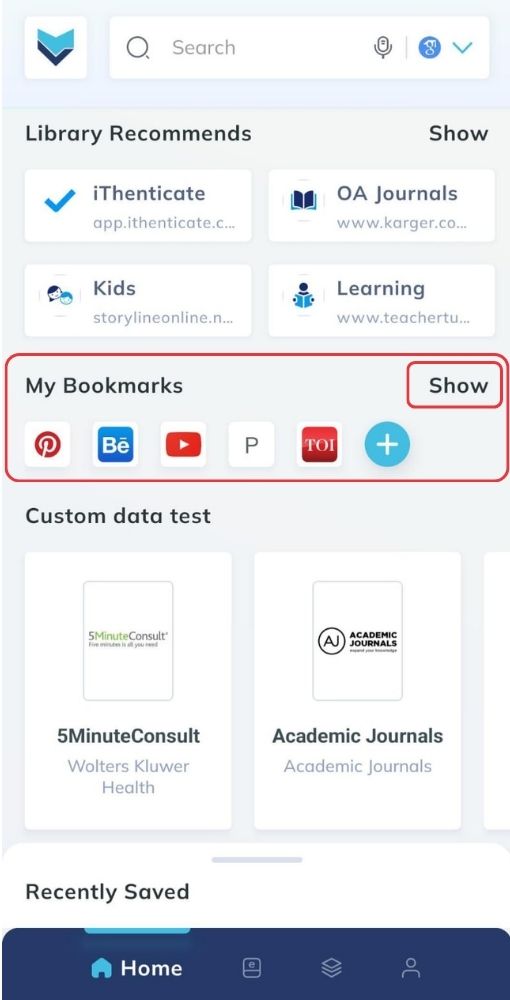
- Search for the bookmarks section on the MyLOFT home page.
- Click on the show button to expand the list of bookmarks in detail.
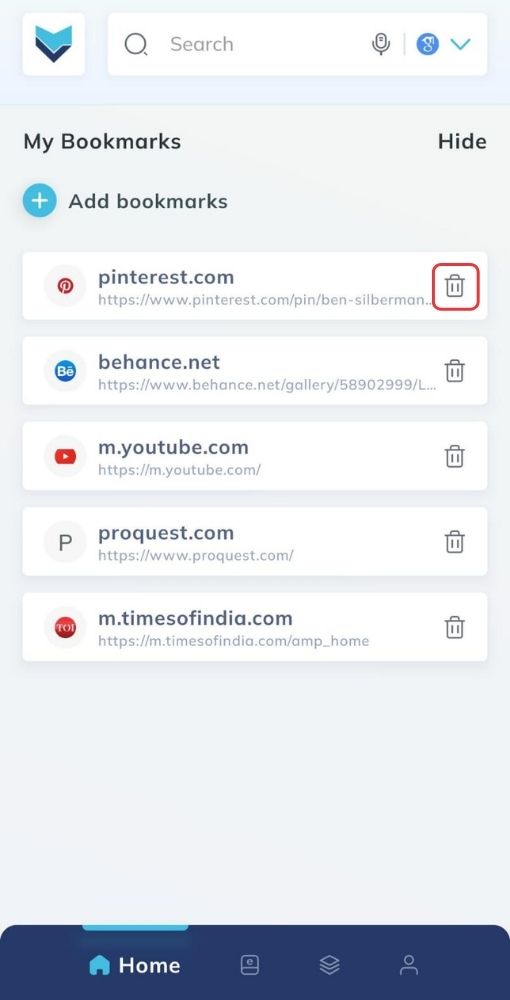
- Find the bookmark you want to remove from the bookmarks section.
- Click on the delete icon to remove the bookmark.
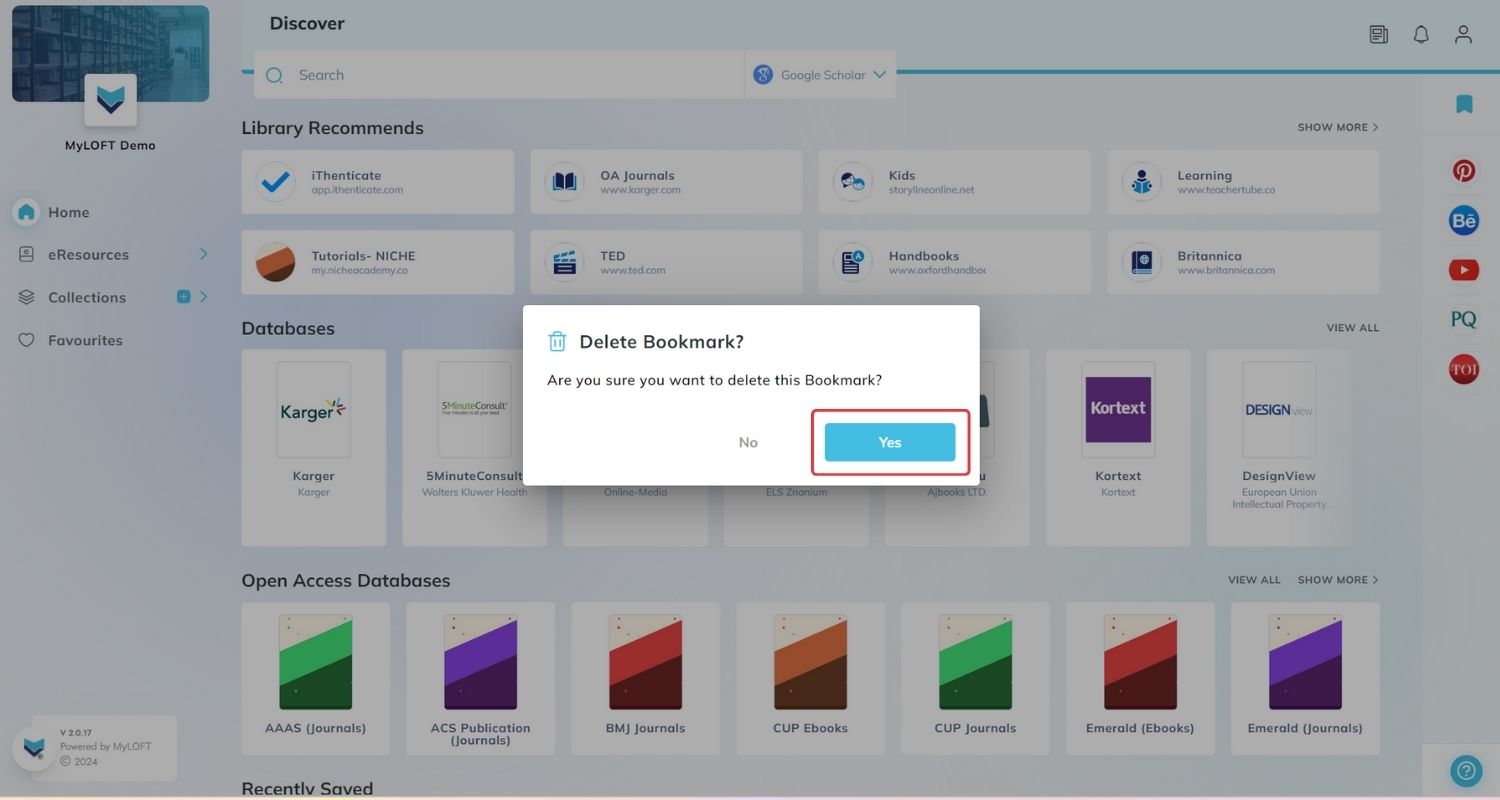
- A confirmation pop-up will appear, click on Yes to complete the process.
Web App:
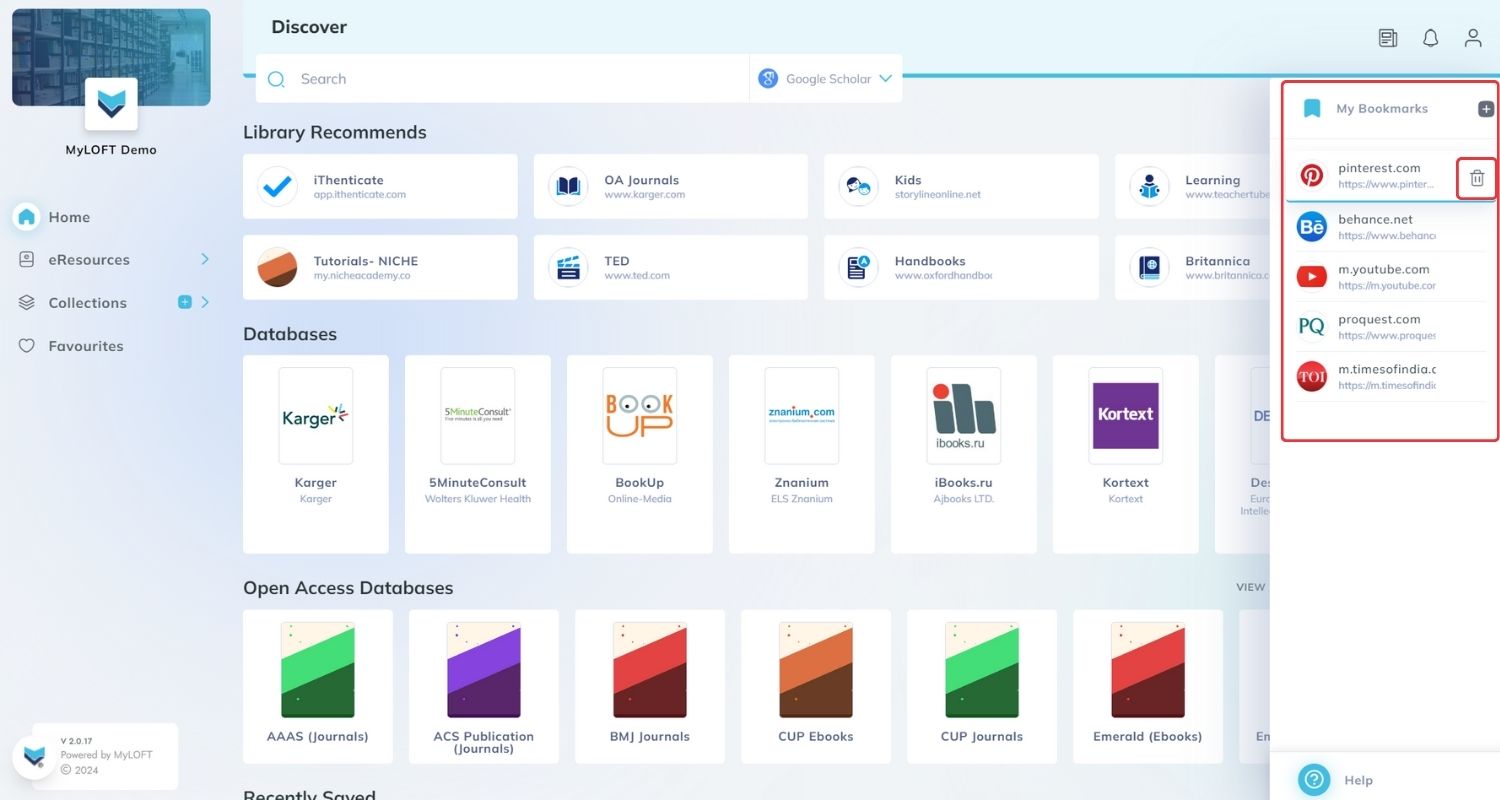
- Search for the My Bookmarks section from the sidebar available on MyLOFT.
- Move the cursor on the thumbnail of the particular bookmark and a
 delete icon will appear.
 - Click on the delete icon to remove the bookmark.
- A confirmation pop-up will appear, click on Yes to complete the process.